Digital Waivers & Forms Signed Before the First Class
Replace the clipboard with a QR code. Waivers, terms and consent forms are signed on a phone, stored per student and version, and turned into leads automatically.
Paperwork That Runs Itself
Built for the way martial arts schools actually enrol: families, walk-ins and federation rule changes.
E-signatures with an audit trail
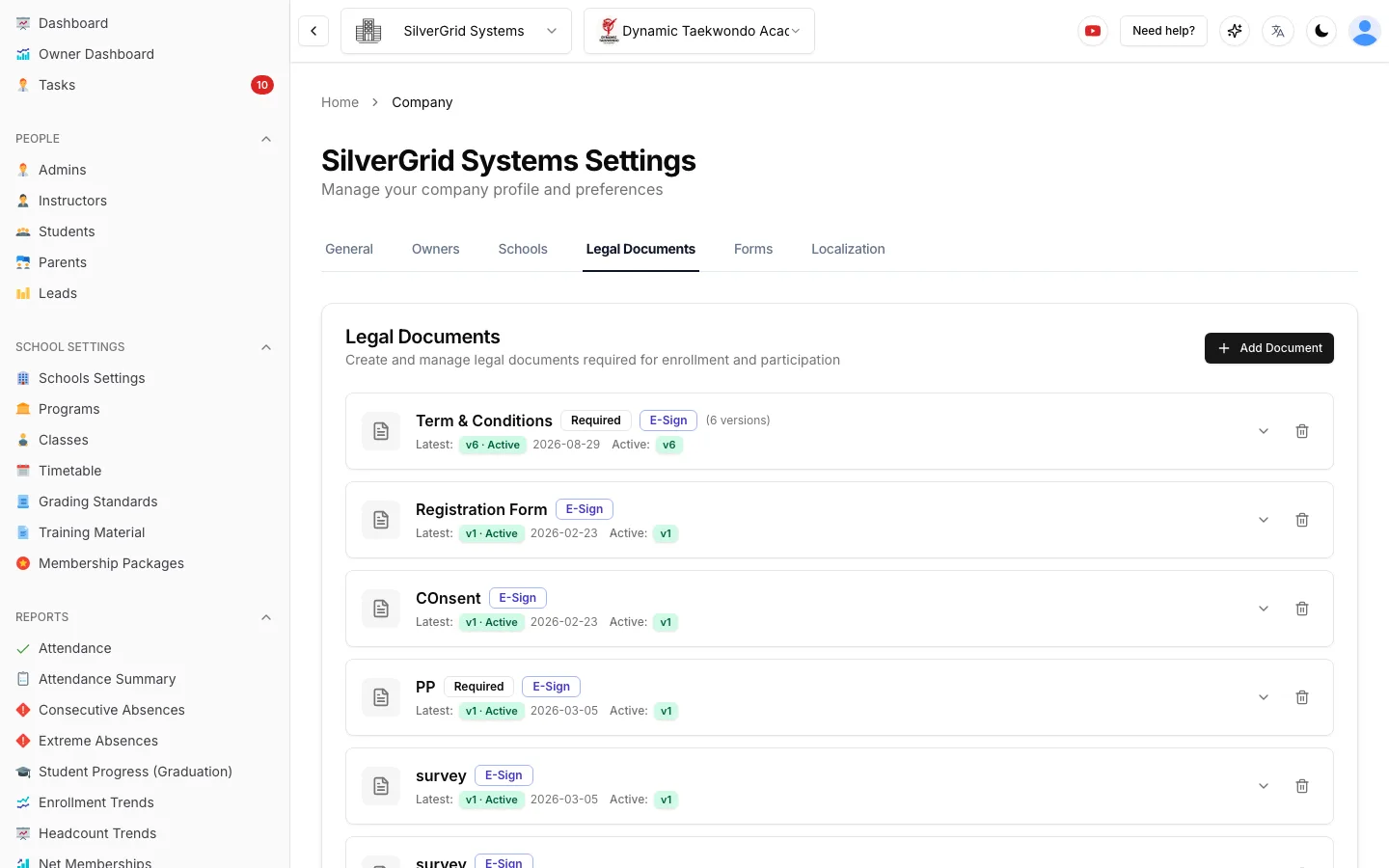
Terms, waivers, consent and privacy documents are signed on any device. Each signature is stamped with the signer, date and document version.
Required or optional, your call
Mark a document as required and unsigned students are flagged on the roster and at the check-in kiosk until it is done.
Version history built in
Publish a new version whenever your lawyer or federation changes the wording. Old signatures stay attached to the version they signed.
Pick the recipients, pick the channel
Send a document to the whole school, one program or a hand-picked list, by email or by SMS with a one-time secure link.
Parents sign for children
Child accounts route documents to the linked parent or guardian. Family sign-up stays one flow, one signature per adult.
Every submission is data
Form answers, including addresses, tables and signature dates, are stored per student. Preview, export to PDF, or open the auto-created task.
A QR Code on the Door Is Your New Front Desk
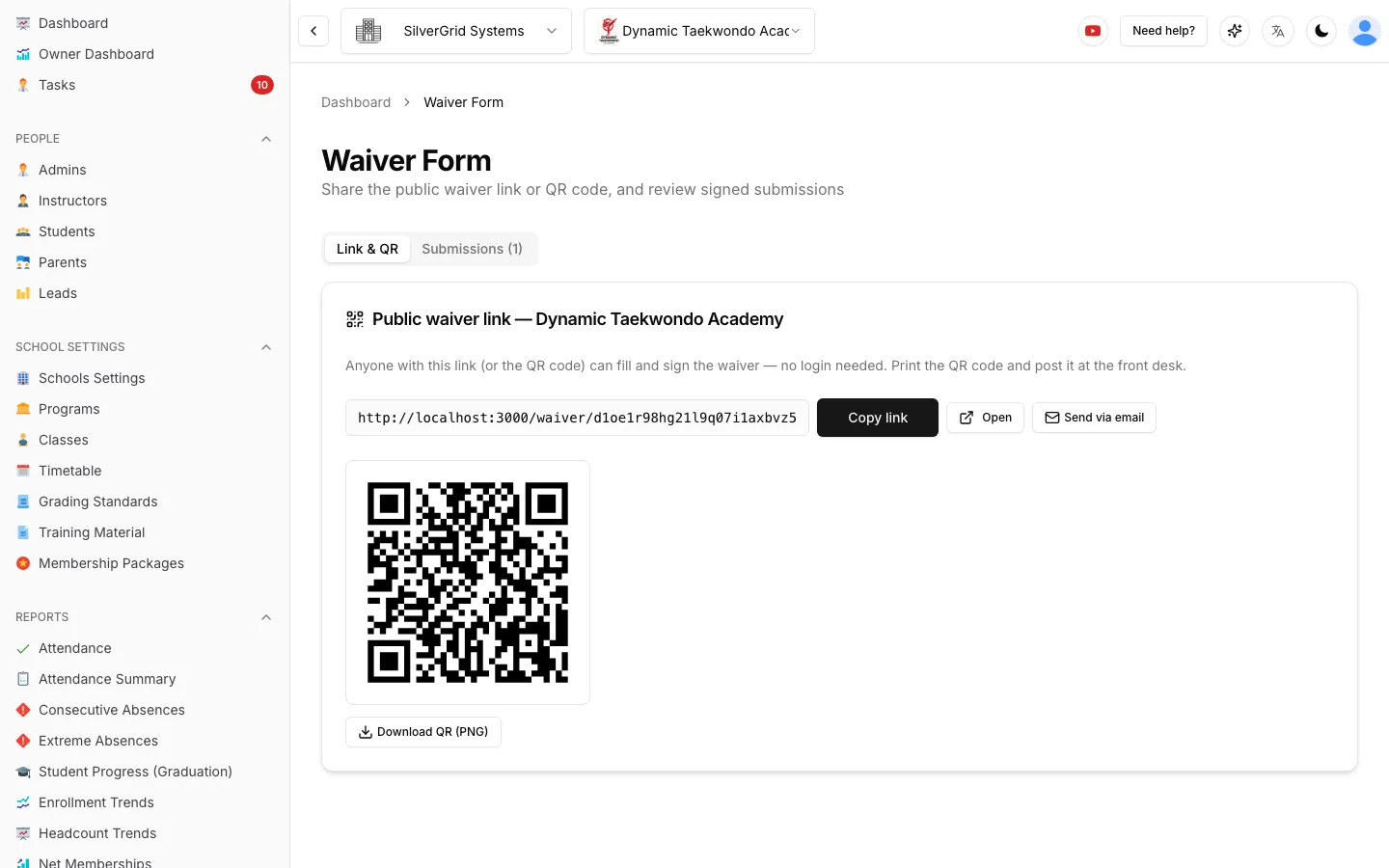
Print the QR code, stick it at reception or on the mat edge. New arrivals scan, fill in their details and sign in under a minute, with no account required.
- Every waiver submission creates a lead with the signed document attached
- Preview each submission and export it as a PDF
- Copy the public link into your website, socials or trial-class ads
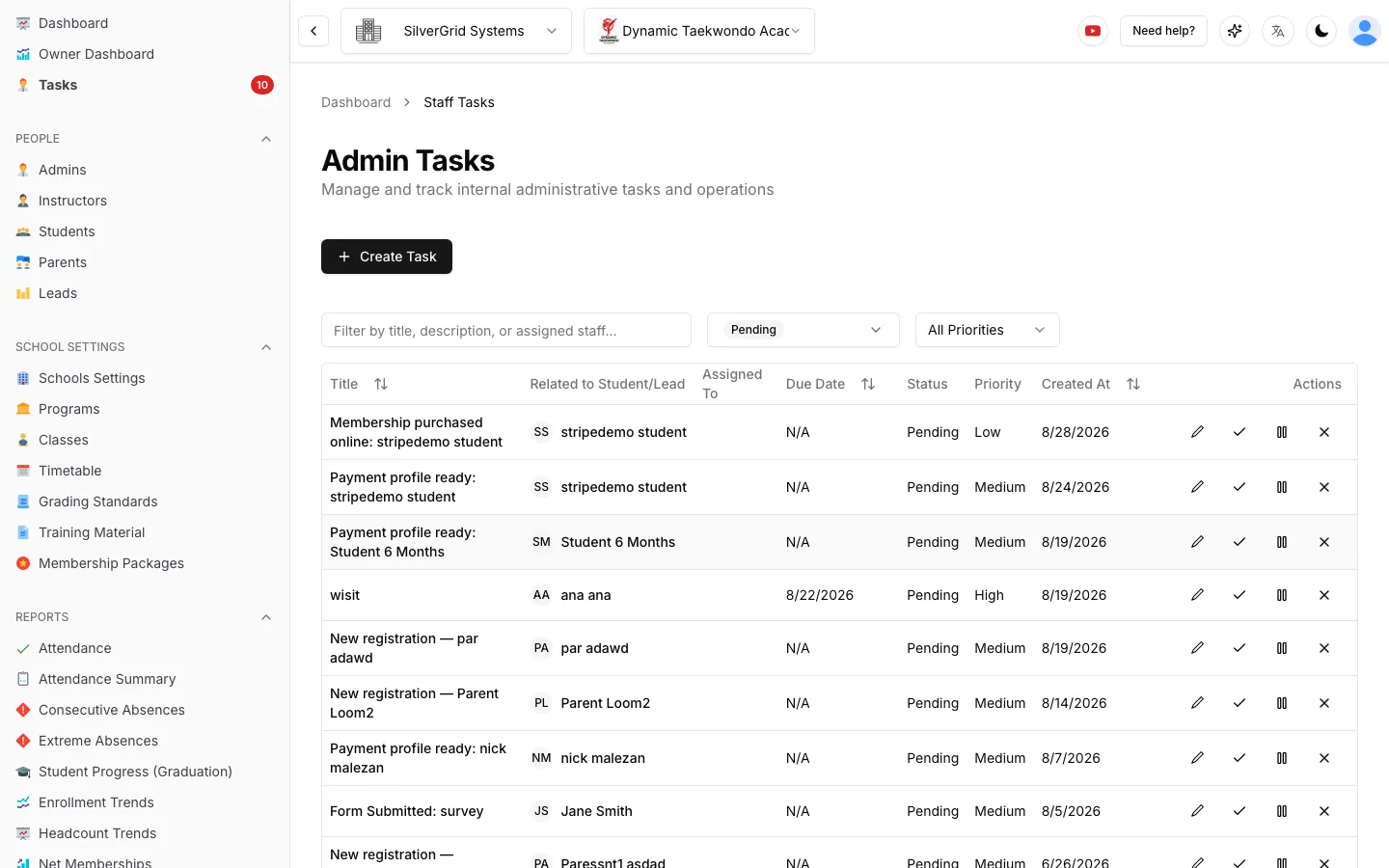
- Staff get an automatic task so nobody slips through
Custom Forms for Everything Else
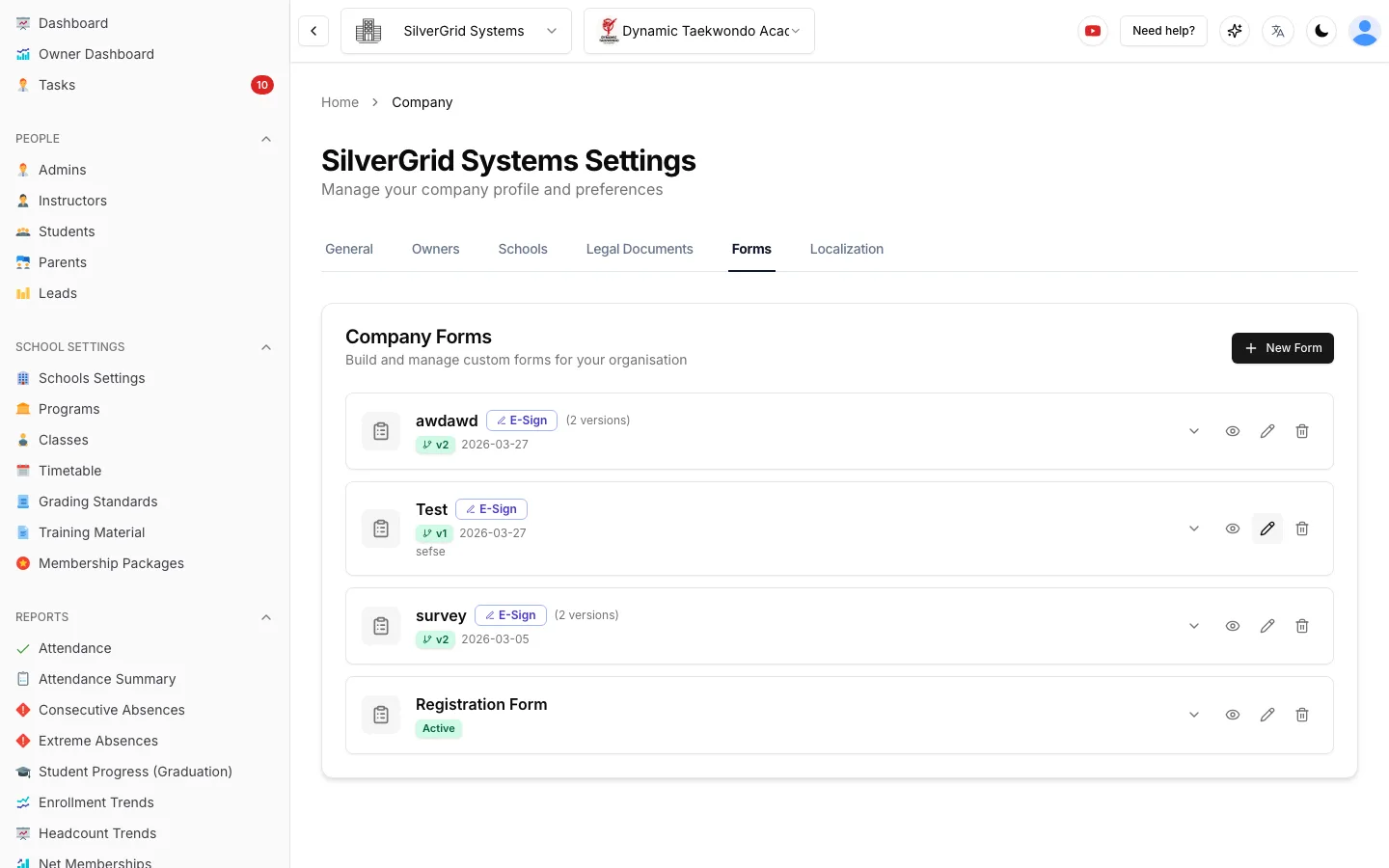
Medical questionnaires, photo consent, grading applications, end-of-term surveys. Build the form once, assign it to students or share it by public link, and every answer lands on the right profile.
Fields include text, choice, date, address, table and signature. Submissions are versioned alongside the form, so a question you added in March never muddles answers from February.
Unsigned? The Kiosk Knows.
Required documents create an open task on the student. Until it is signed, the roster shows a flag and the self check-in kiosk asks the student to see reception. Compliance stops depending on memory.
- Works for waivers, terms, photo consent and federation forms
- Re-send a document to only the people who have not signed
- Signed PDFs stay on the profile under Documents
Waiver & Form Questions
Can a walk-in sign the waiver before we know who they are?+
Yes. Every school gets a public waiver link and a printable QR code. Anyone can open it on their phone, fill in their details and sign. The submission is stored and a lead is created automatically, so the follow-up starts without any typing at the front desk.
What happens when we update our terms and conditions?+
Publish a new version of the document. Sport School Manager keeps every previous version and every signature attached to the version that was signed, and you can re-send the new version to exactly the people who need to sign it again.
Who signs for children?+
Documents assigned to a child are routed to the linked parent or guardian, who signs on the child's behalf. Each parent has their own account, so signatures are always tied to a real adult.
Can we build our own forms, not just waivers?+
Yes. The form builder supports text, address, date, table, signature and choice fields. Use it for medical questionnaires, photo consent, surveys or grading applications, and review every submission with a preview and PDF export.
Forms guides in the Help Center
Step-by-step guides with screenshots, written for school owners and admins.
- CompanyCompany FormsBuild custom forms, share them and review submissions.(opens in a new tab)
- CompanyHow to add an adminInvite a school admin and choose what they can see and do.(opens in a new tab)
Retire the Clipboard This Week
Free for up to 20 students. 90-day free trial for larger schools.