Martial Arts Student Lead Management & CRM Software
Most dojos lose 40% of leads because they don{"'"}t follow up. Our "Sales Engine" automates the process—capturing enquiries, scheduling trials, and nudging prospects until they sign up.
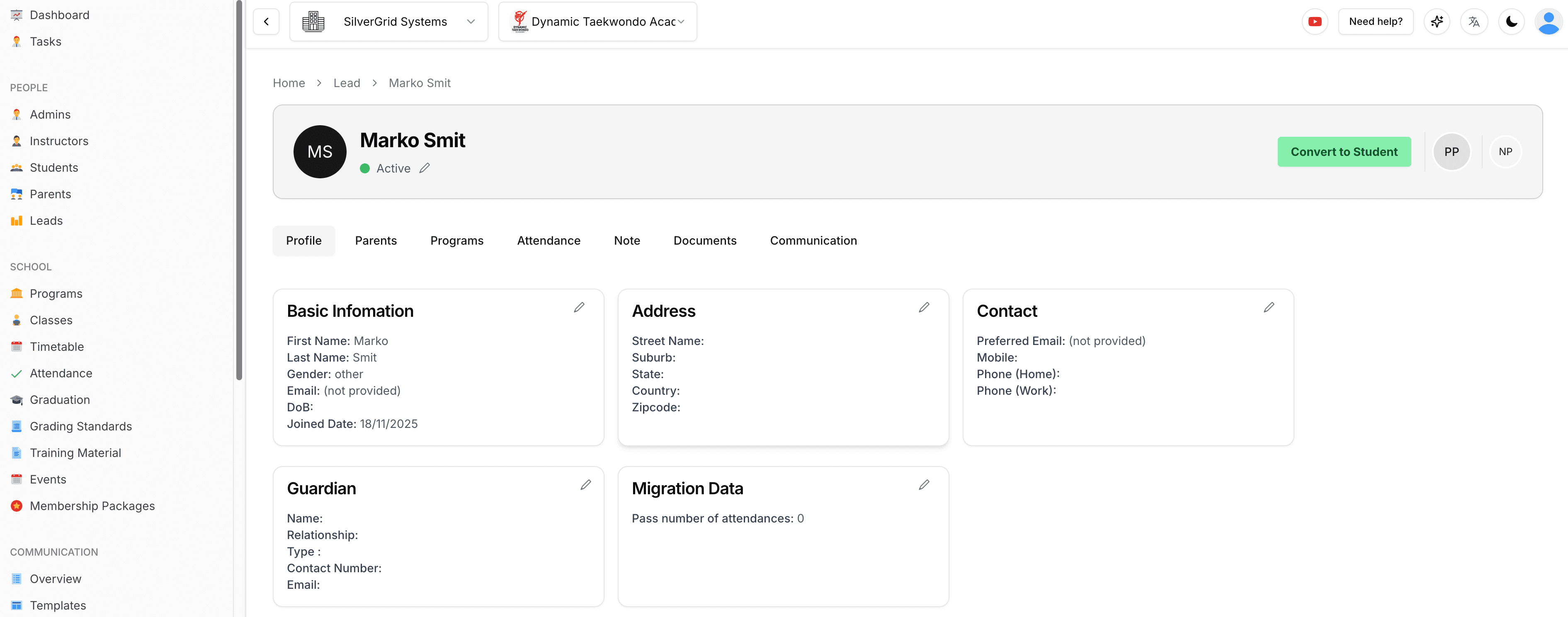
Fix Your Sales Funnel with Automated Student CRM
You spend money on ads, but if you don{"'"}t call leads back within 5 minutes, they join the gym down the street. We fix that.
1. Captures Lead
Embed our widget on your site. Leads flow straight into your pipeline.
2. Auto-Response
System instantly sends an SMS: "Hey [Name], thanks for enquiring! When can you come in for a trial?"
3. Trial Booking
Lead books a time, signs the digital waiver online, and shows up ready to train.
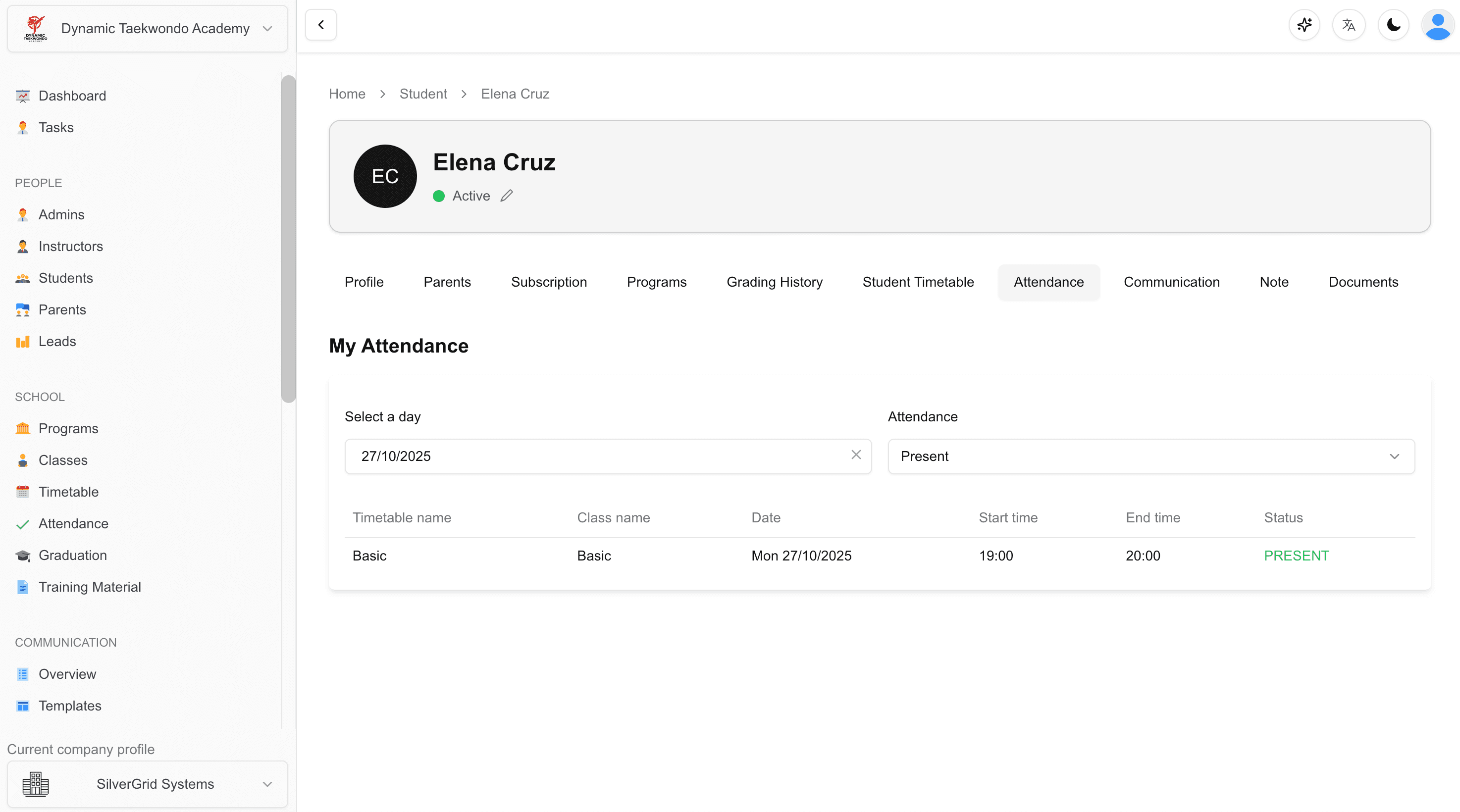
End-to-End Martial Arts Student Lifecycle Management
Once they join, the CRM becomes your retention tool. It alerts you when students stop showing up.
- ⚠️
Retention Alerts
"John hasn't trained in 14 days". Get notified before he cancels.
- 📝
Digital Waivers
No more paper filing. Waivers are signed digitally and stored on the student profile forever.
- 👨👩👧
Family Accounts
One billing profile for the whole family. Parents love the convenience.
From First Click to First Payment—Without a Phone Call
Share one link. The prospect picks a membership, registers the whole family, pays online, and lands in your dashboard as a student with a task already waiting for your team.
Shareable Registration Links
Every membership package has a "Copy registration link" button. Post it on social media, email or flyers—the form opens with that package and today's start date already selected.
You Choose What They See
A "Visible on the registration form" toggle on each package controls the public picker. Keep legacy or internal packages hidden while staff can still assign them from the dashboard.
Register Several Students at Once
Up to three students in a single self-registration, each with their own account and email. Already-registered emails are caught up front—no duplicate profiles, no silently touched accounts.
Registration Continues Into Payment
For Stripe-enabled schools, the thank-you page is no longer a dead end. As soon as the profile is created the registrant goes straight to the secure payment step for their chosen membership.
Short Enquiry Form & Waiver Leads
A public short form feeds enquiries straight in as leads: the lead gets a welcome email, admins get a follow-up task, the school gets a notification. Every signed waiver automatically creates a lead too.
Membership Offer Link
From a lead's Membership tab, click "Send membership offer" to email or SMS a secure link. They pick a package, choose a start date and save a payment method online—no back-and-forth.
Know Everything About Every Member
Who did what, when, and to whom. Which students are on which package. Which task is still open. It's all one click away.
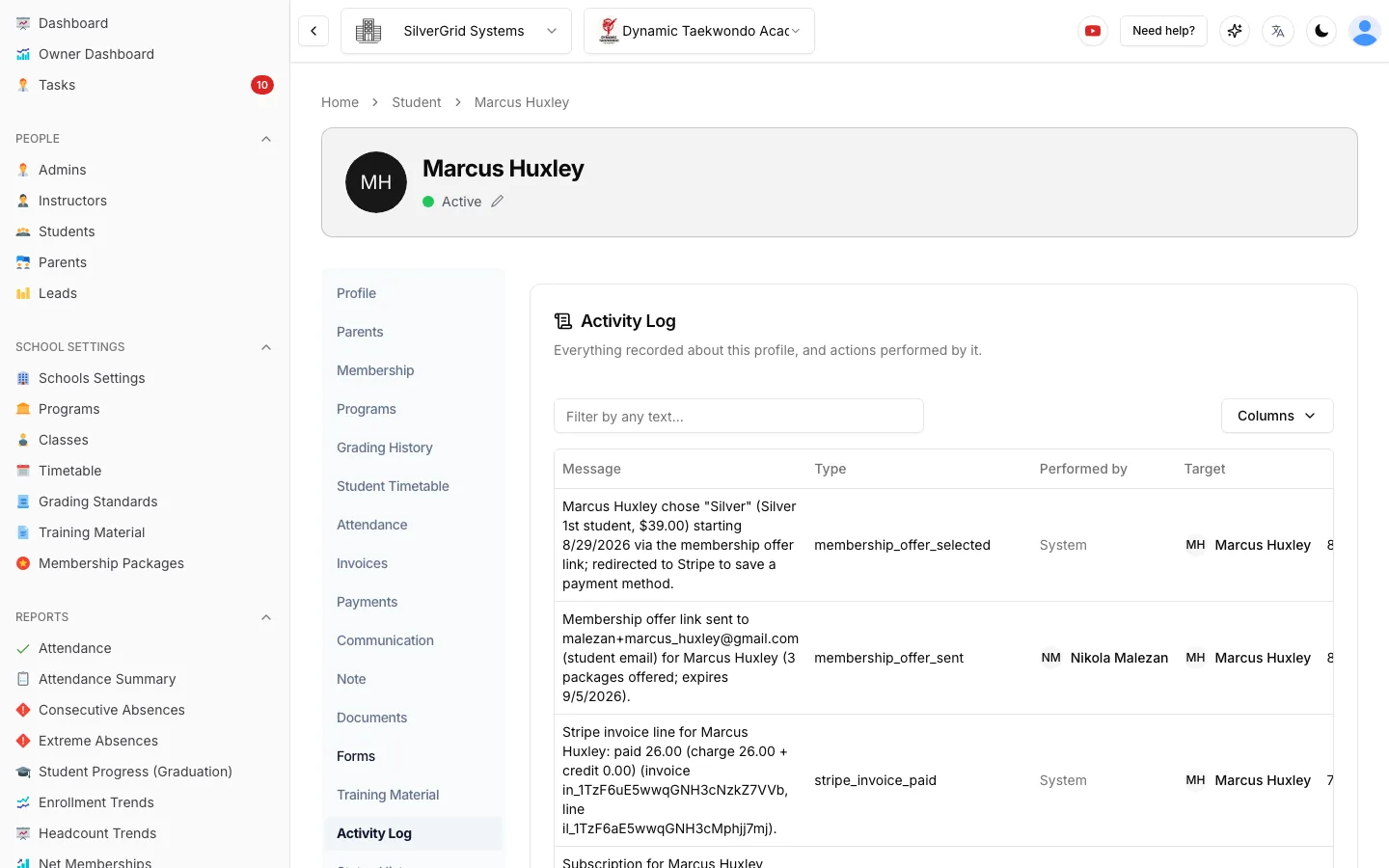
Activity Log on Every Profile
Students, parents, leads, admins and instructors all get an Activity Log tab: everything recorded about that person and everything they did—membership offer chosen, email sent, invoice paid, status changed—with who performed it and when.
- Full audit trail with the same search, sorting and paging as the school-wide log.
- Backdatable quit and hold dates—record when a status change really took effect so Net Memberships and Membership Health count it in the right month.
- Referral source on the Contact card—Facebook, Instagram, Google, Friend / Referral, Walk-in, Flyer, Event or Other—and a Referral Report that shows where your leads and students actually come from.
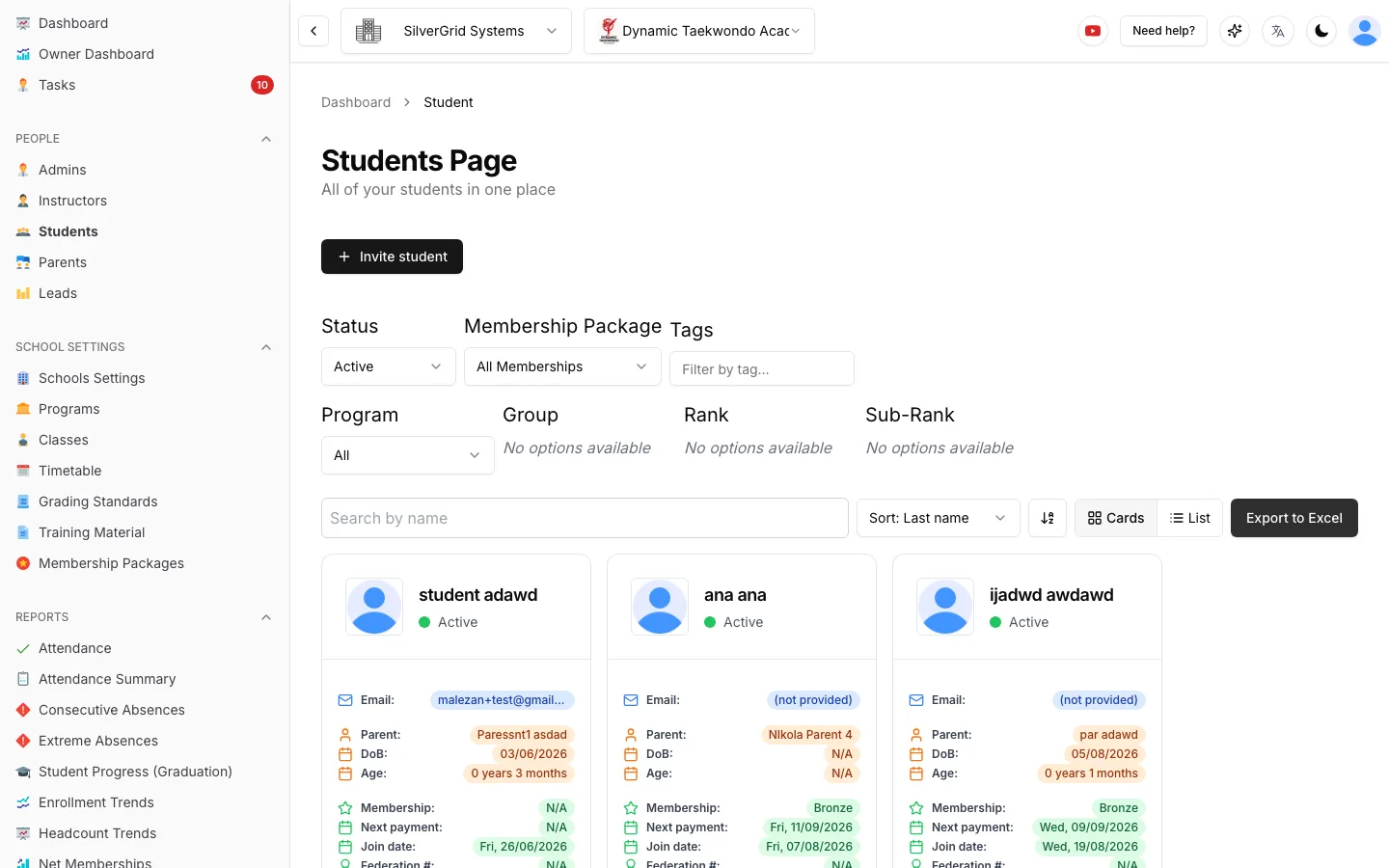
A Student List You Can Actually Work From
Filter by status, membership package, tag, program, group or rank. Sort by the columns that matter. Each card shows the parent, the membership and the next payment date—no clicking into profiles to find out.
- Tags on profiles—free-form labels like "camp registered" or "trial", shared across your school and usable as a list filter and bulk-email target.
- Invite a student straight from the list, or export to Excel with the current filters applied.
- Check-in notes—put a note on a profile, tick "Show at check-in", and it pops up on the staff screen the moment that student walks in.
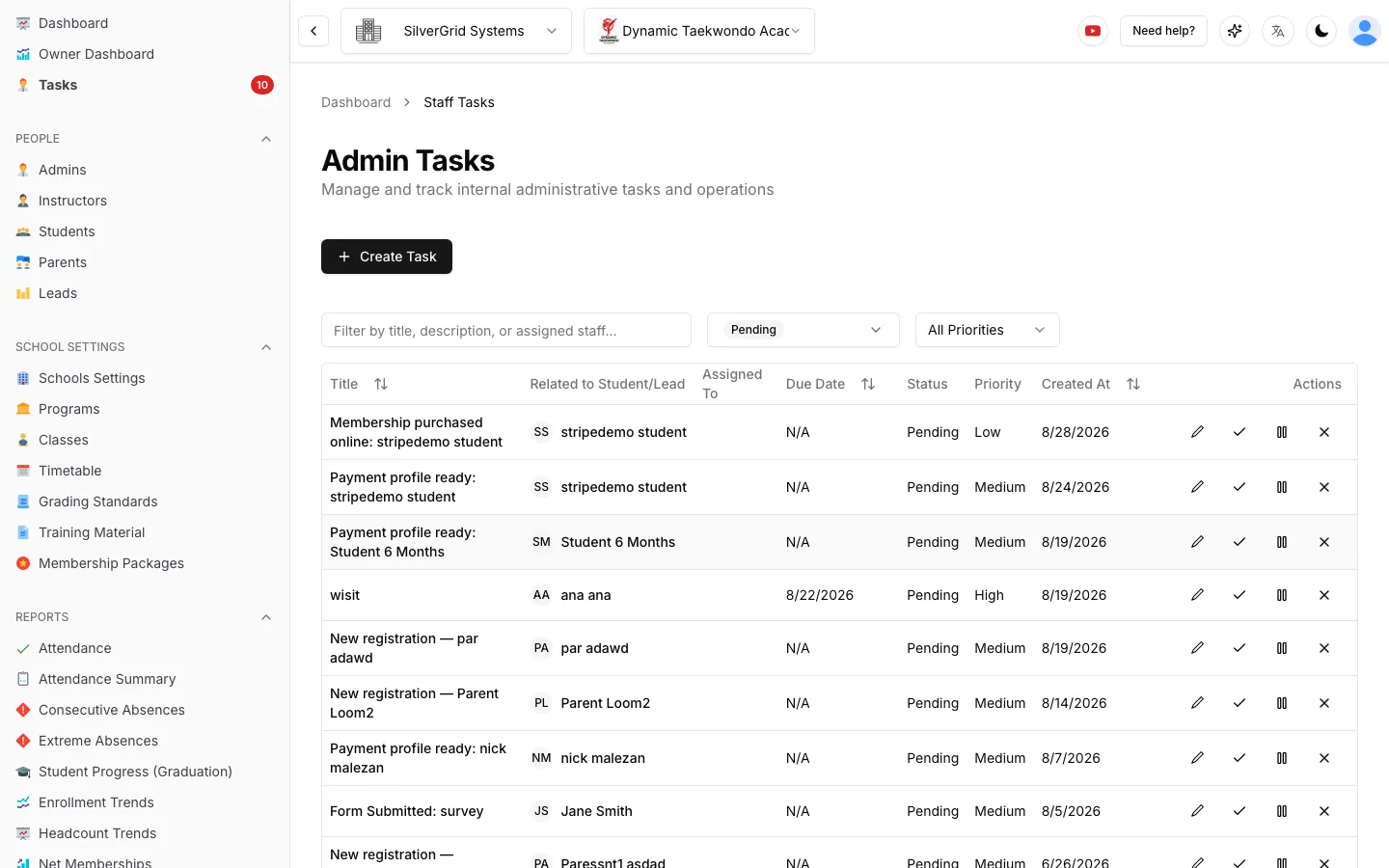
Tasks That Create Themselves
A new registration, a form submission, a membership bought online, a payment profile saved—each one drops a task into your team's queue with a priority, a due date and an assignee. Nothing waits for someone to notice.
- Open-task counter—a red badge on the Tasks menu shows how many pending and in-progress tasks the selected school has.
- Email alert for every new registration—who registered, which students, and a reminder that the task is waiting in the dashboard.
- Active-task gate at check-in—a student with a high-priority open task is asked to see reception before they check in.
Student and lead guides in the Help Center
Step-by-step guides with screenshots, written for school owners and admins.
- StudentsCheck-in notes: pop up a reminder when a student checks inFlag a note to appear on staff screens the moment a student arrives.(opens in a new tab)
- Owner DashboardOwner Dashboard setup: reporting week, marketing spend, intro offers and lead sourcesConfigure the inputs the dashboard needs before the numbers make sense.(opens in a new tab)
- Getting StartedHow to register an account (Company Owner)Create your company, first school and owner login in a few minutes.(opens in a new tab)
Stop Losing Revenue to Missed Leads
Every missed lead is missed revenue. Fix your pipeline today.