Business Analytics & Reporting for Martial Arts Schools
Ditch the gut feelings. Sport School Manager gives you the precise data you need to identify trends, project growth, and plug holes in your student retention.
The Core Performance Metrics for Proactive School Owners
Professional-grade intelligence for proactive school owners.
Headcount Analytics
Break down your active student count by program, age group, or rank. See exactly who is training and who is on hold.
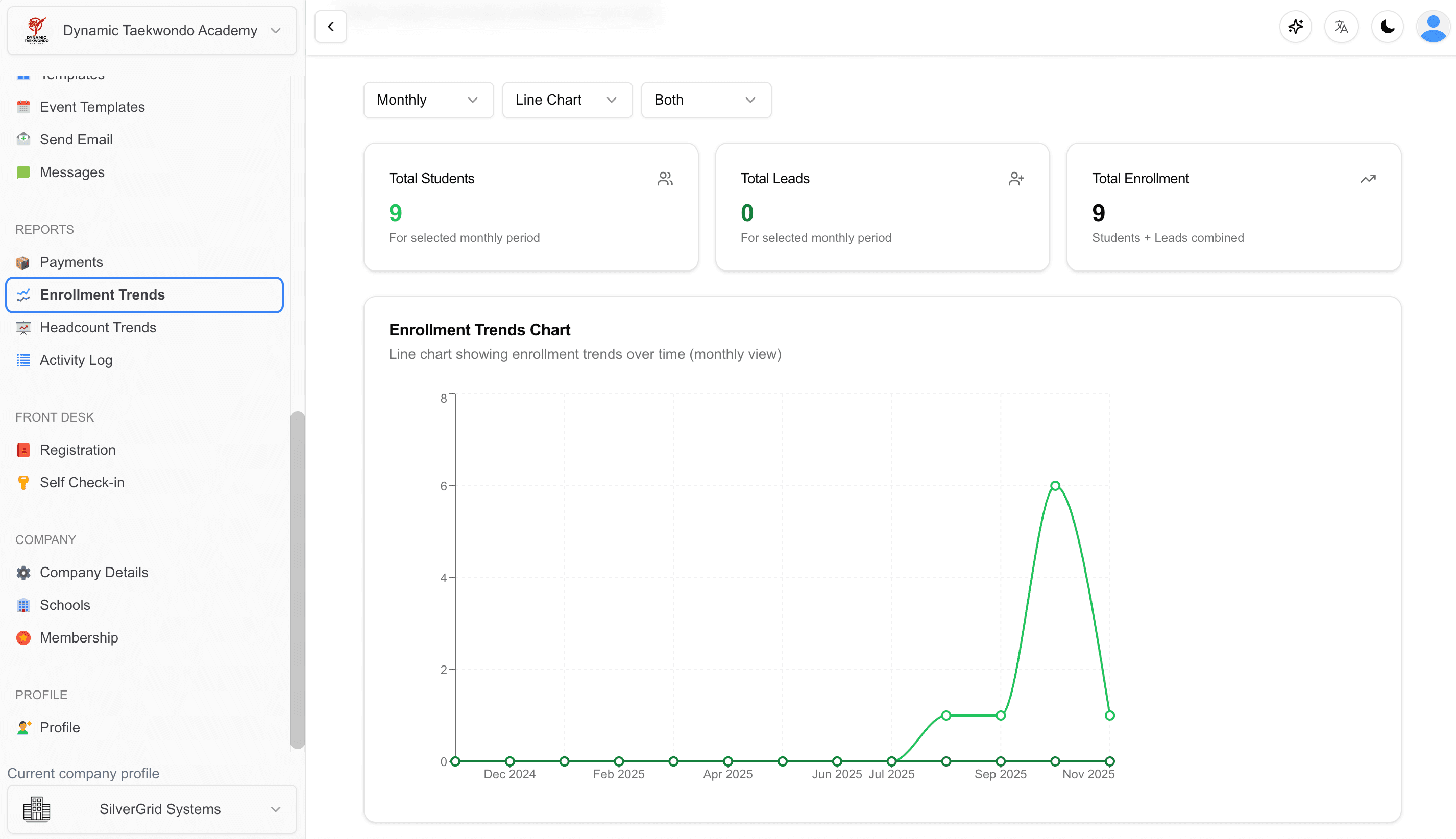
Enrollment Trends
Visualize your acquisitions over time. Which marketing campaigns are bringing in the most new sign-ups?
Financial Insights
Track every dollar. Monitor upcoming billing cycles, successful payments, and pending payments in real-time.
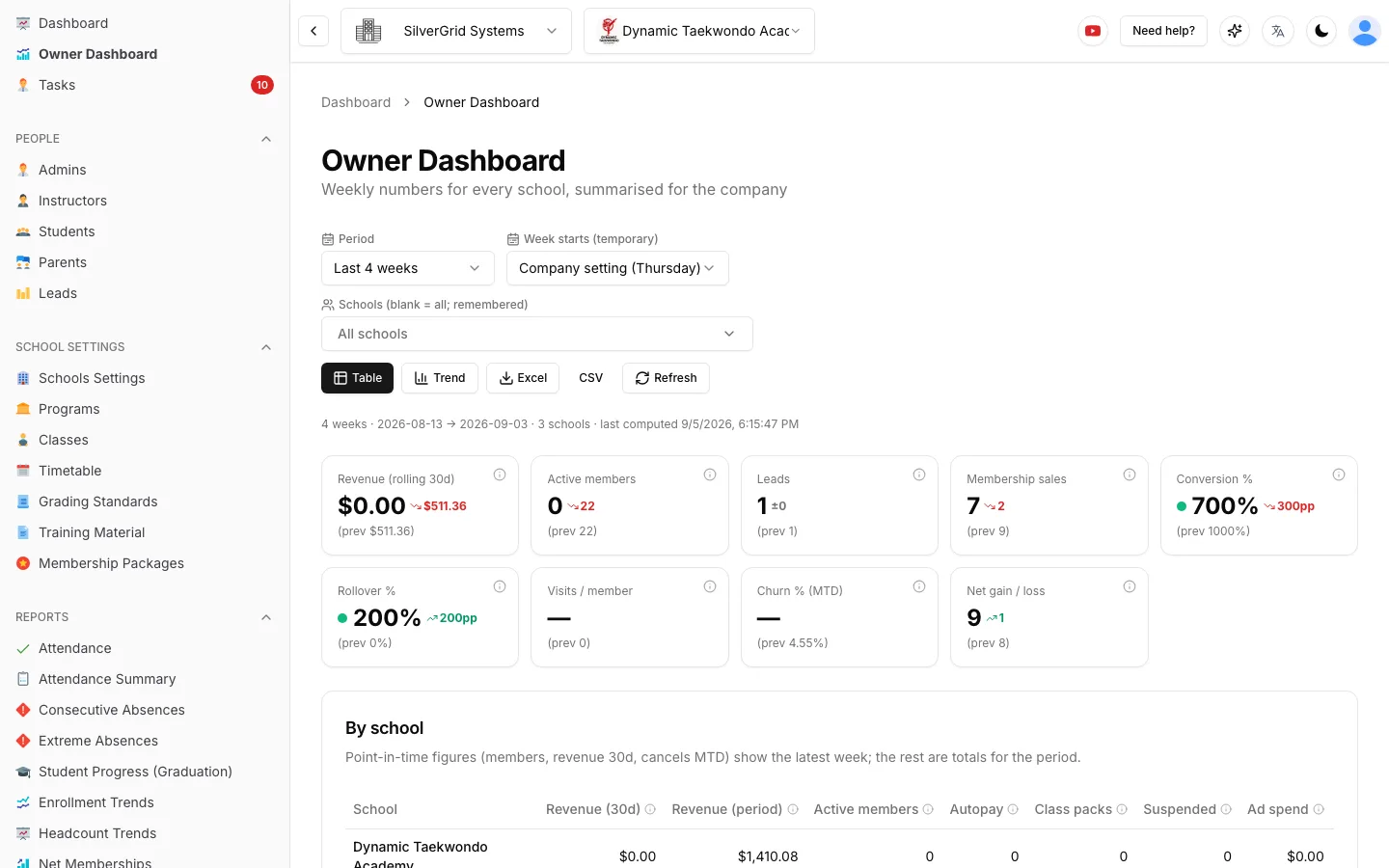
Weekly Numbers for Every School, Summarised for the Company
Company owners get one row per school with the weekly scoreboard: rolling revenue, active and autopay members, leads (paid vs organic), advertising spend and cost per lead, intro and membership sales with conversion %, rollovers and visits — plus a company total at the bottom.
- Pick this week, last week, a month or a custom From/To range — weeks older than your stored history are calculated on the spot.
- Every tile shows the previous equal-length period alongside it, so you see the trend, not just the number.
- Record weekly ad spend per school (Meta, Google, other) and the dashboard turns it into cost per lead.
- Switch between Table and Trend views, then export the whole thing to Excel or CSV.
- Every tile and column has a small ⓘ explaining exactly where the number comes from.
Set KPI Targets per School. See Green, Yellow or Red Every Morning.
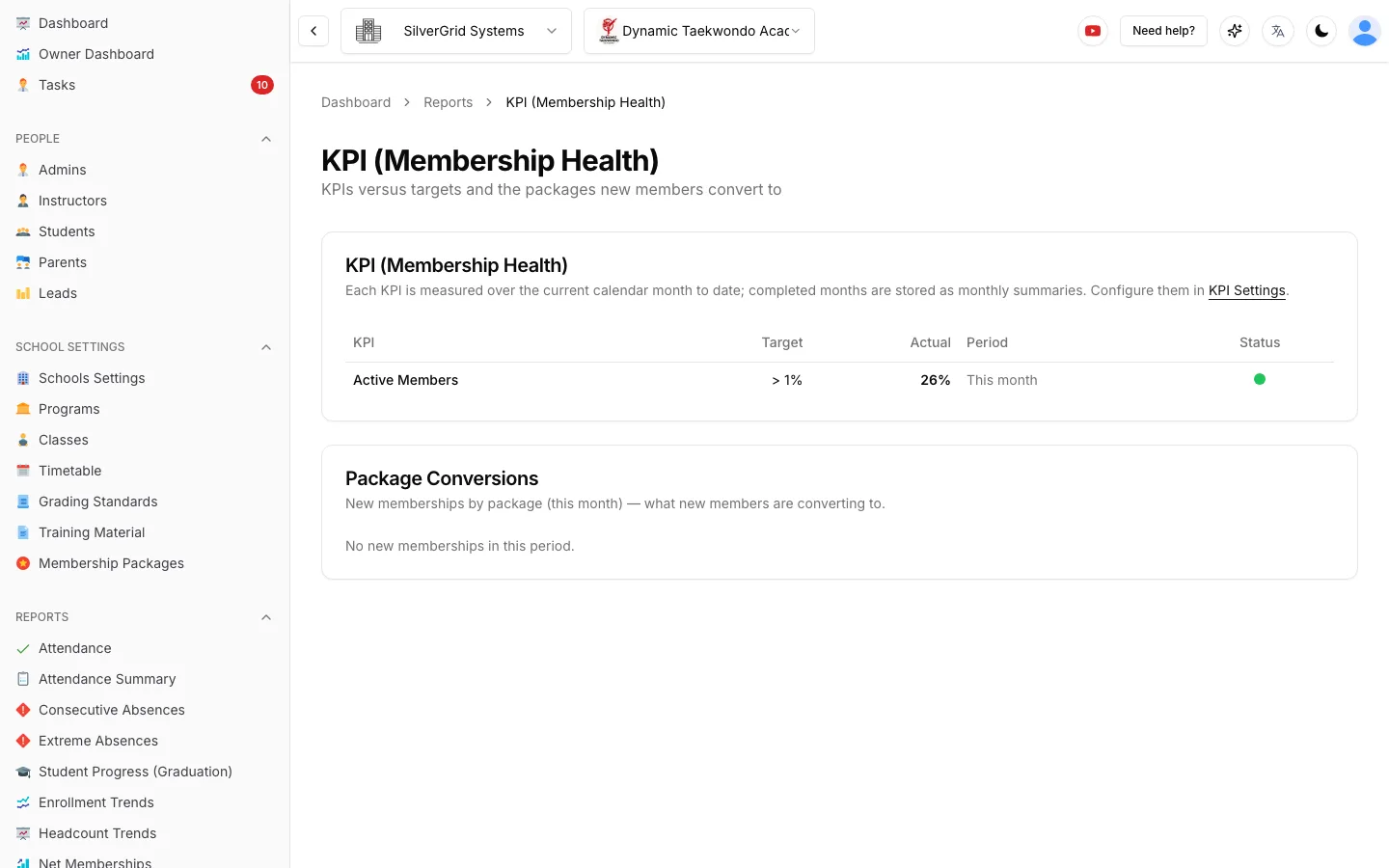
Track the KPIs that matter — Active Members, Net Growth, Retention, Cancellations and Win Backs. Turn each one on or off, show it as a number or a percentage, and give it a monthly target.
Dashboard widget
Target, actual and a traffic-light dot for every enabled KPI — green on target, yellow close, red off track.
Package conversions
The Membership Health report shows which packages new members convert to — Bronze, Silver, Gold — with counts and shares.
Automatic monthly summaries
At month end the system stores each KPI's target, result and status, so you can report performance month by month.
Backdated status changes
Record the real quit or hold date and the KPIs count the student in the month it actually happened.
Know Where Members Come From — and Why They Leave
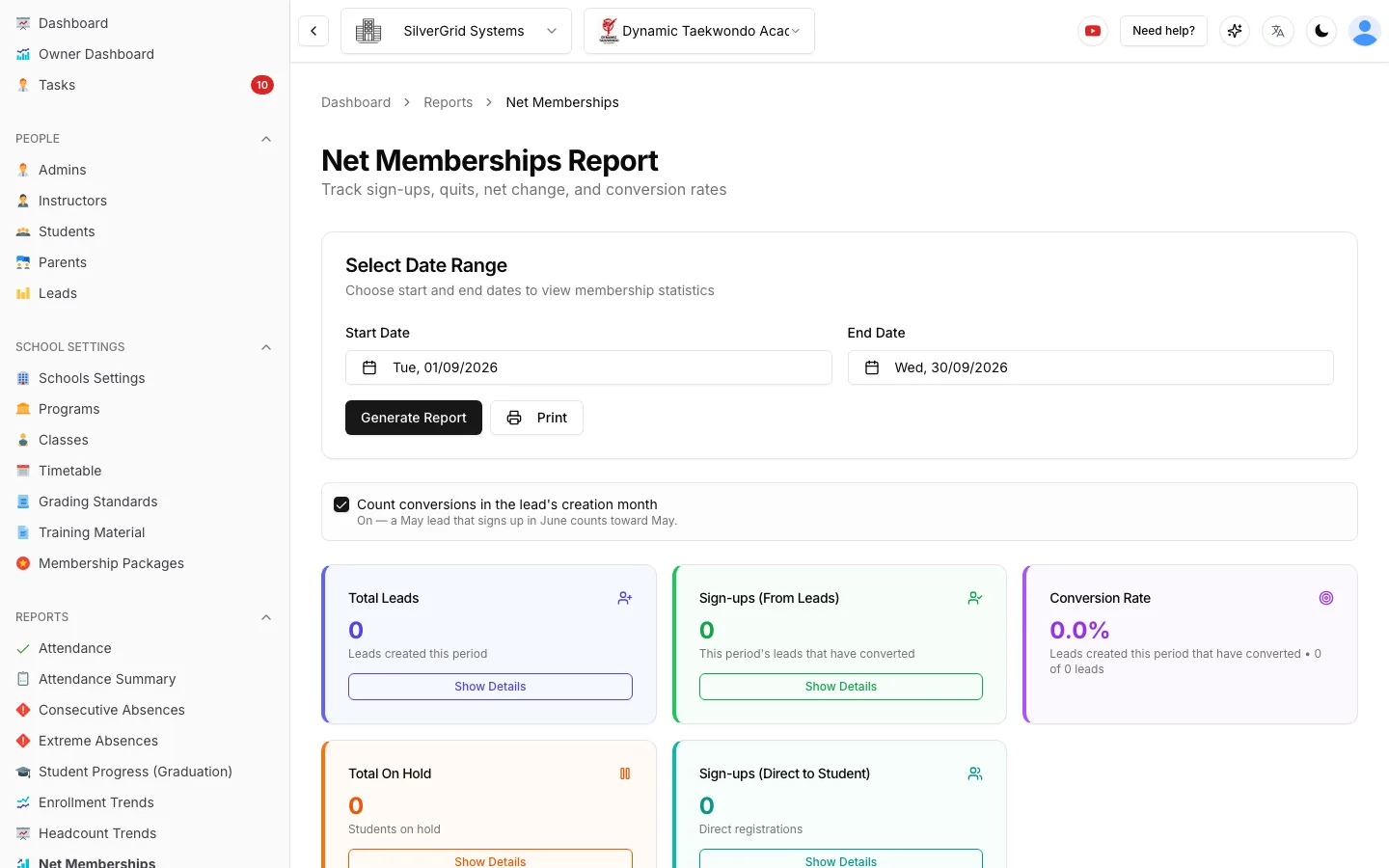
Every number on the Net Memberships report has the people behind it one click away.
Net Memberships Drill-Down
Press Show Details on any stat card to open the list of people behind that number — who joined as a lead, who became a student, who went on hold.
Churn & Retention
Monthly Churn Rate and Retention Rate for the selected period, plus a toggle to attribute conversions to the month the lead was created or the month they signed up.
Referral Report
Capture how members found you — Facebook, Instagram, Google, Friend / Referral, Walk-in, Flyer, Event — and see each source's count and share for any date range.
SMS Report
Every text your school sent — recipient, time, message and segments used — with sent, failed and remaining allowance at a glance.
Who Owes, Who Has Credit, and What Came In
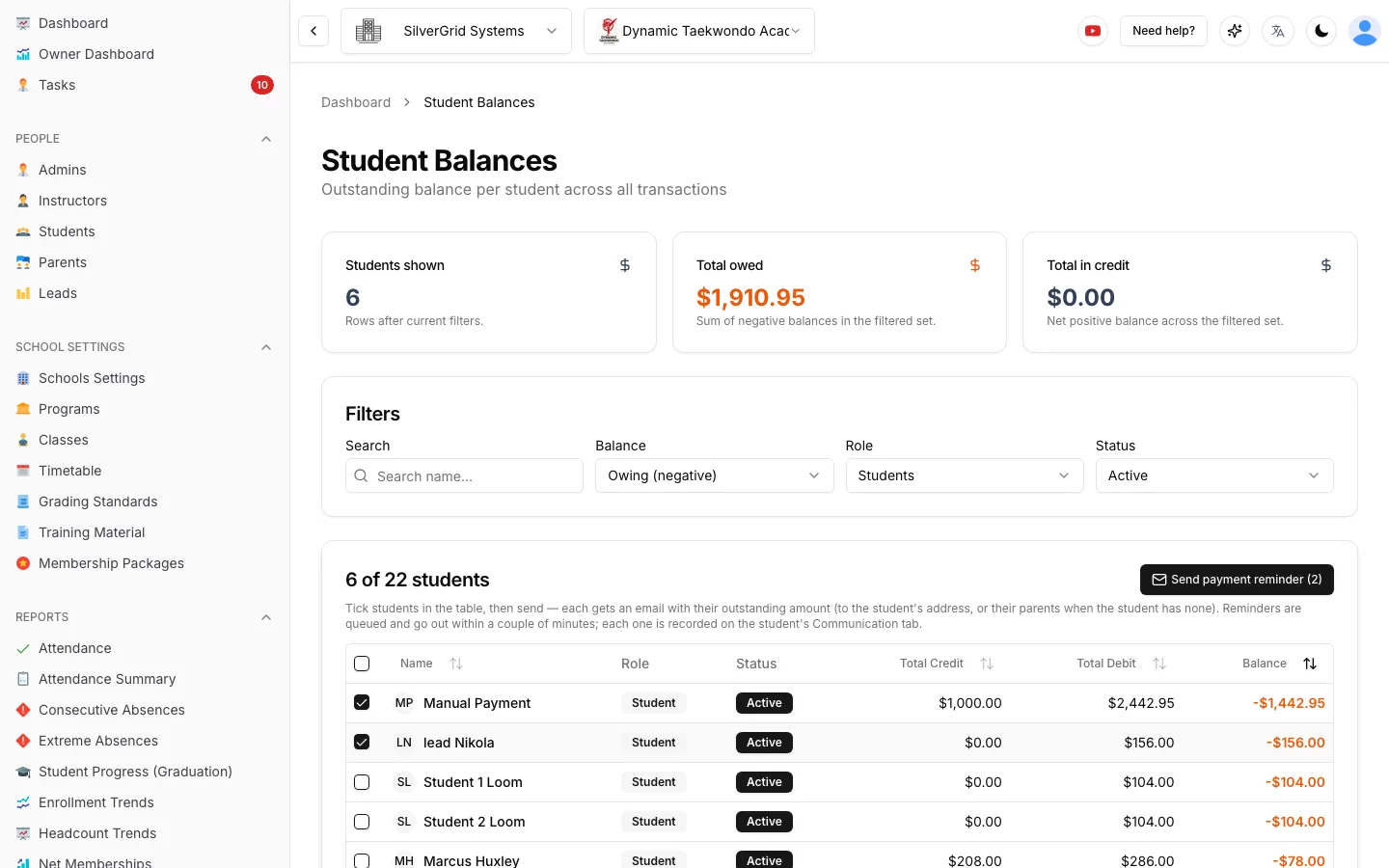
The Student Balances report lists every student with transactions — total credit, total debit and net balance — defaulting to active students who currently owe money. Tick the ones you want and press Send payment reminder: each gets an email with their own outstanding amount.
- Payments report with From / To date pickers — the range lives in the URL so the view is shareable.
- Outstanding, available credit, total charged and total received summarised at the top.
- Available credit includes the Stripe customer balance for Stripe-connected schools.
- Printable invoices and receipts straight from a student profile.
A Dashboard You Arrange Yourself
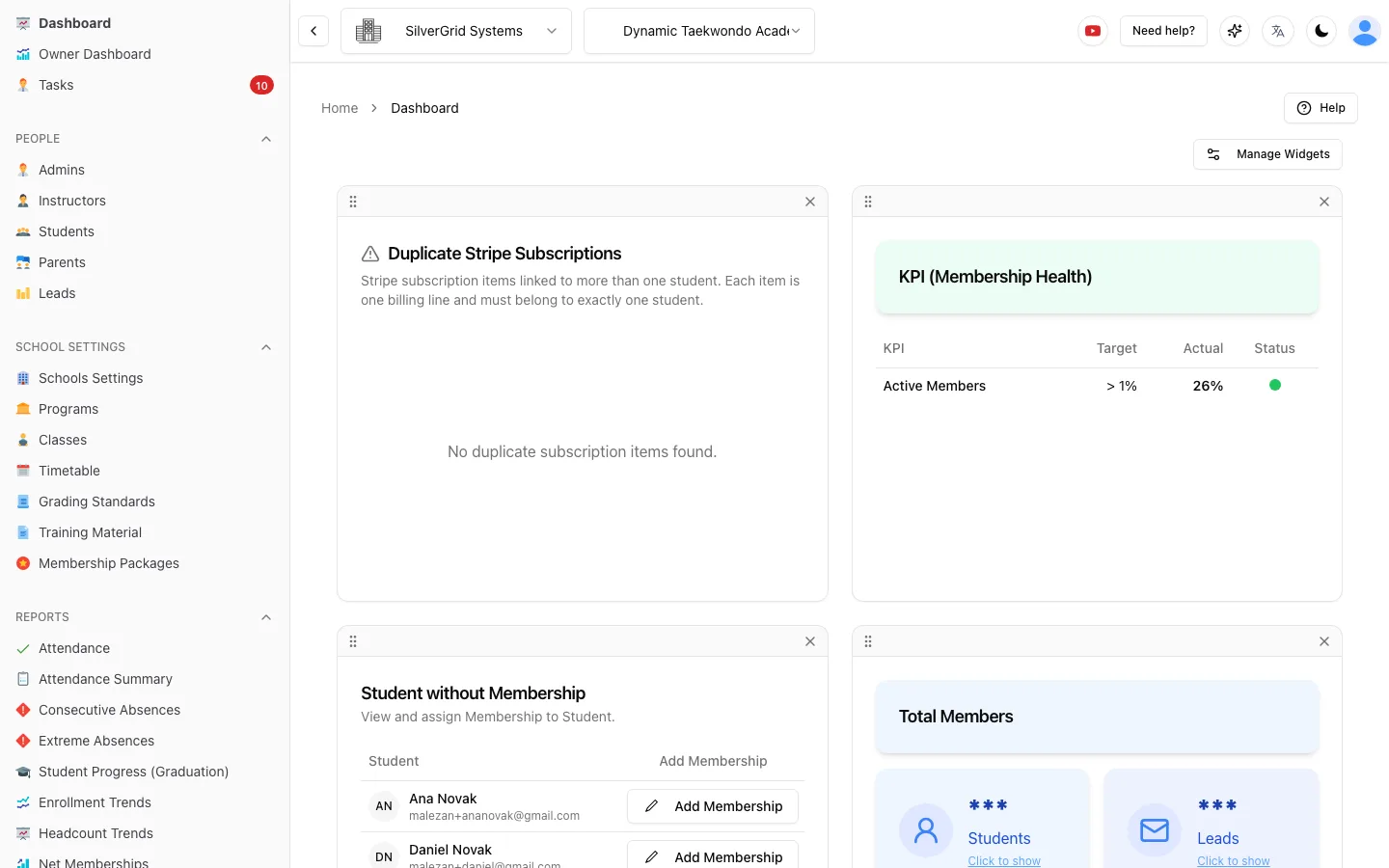
Drag widgets into the order you want, hide the ones you don't need, and bring them back from the Manage Widgets panel. Your layout is remembered for you.
- Membership Health traffic lights
- Students without Membership
- Duplicate Stripe Subscriptions
- Total Members and Total Students
Owner Dashboard guides in the Help Center
Step-by-step guides with screenshots, written for school owners and admins.
- Owner DashboardOwner Dashboard: every school’s weekly numbers in one placeRead the dashboard, switch periods and compare schools.(opens in a new tab)
- Owner DashboardOwner Dashboard setup: reporting week, marketing spend, intro offers and lead sourcesConfigure the inputs the dashboard needs before the numbers make sense.(opens in a new tab)
- Owner DashboardOwner Dashboard: what each number means, and exporting to ExcelDefinitions for every metric plus CSV and Excel export.(opens in a new tab)
- CompanyLocalization: timezone, currency, date and time formatsSet each school’s currency, time zone and display formats.(opens in a new tab)
Automate Your School Reporting Today
Every report above is included in the $89 USD/month flat fee — free for up to 20 students, with a 90-day free trial.