Best Martial Arts School Management Software in 2026: What School Owners Should Look For
A 10-point checklist, a pricing reality check and a fair way to trial any dojo software before you commit.
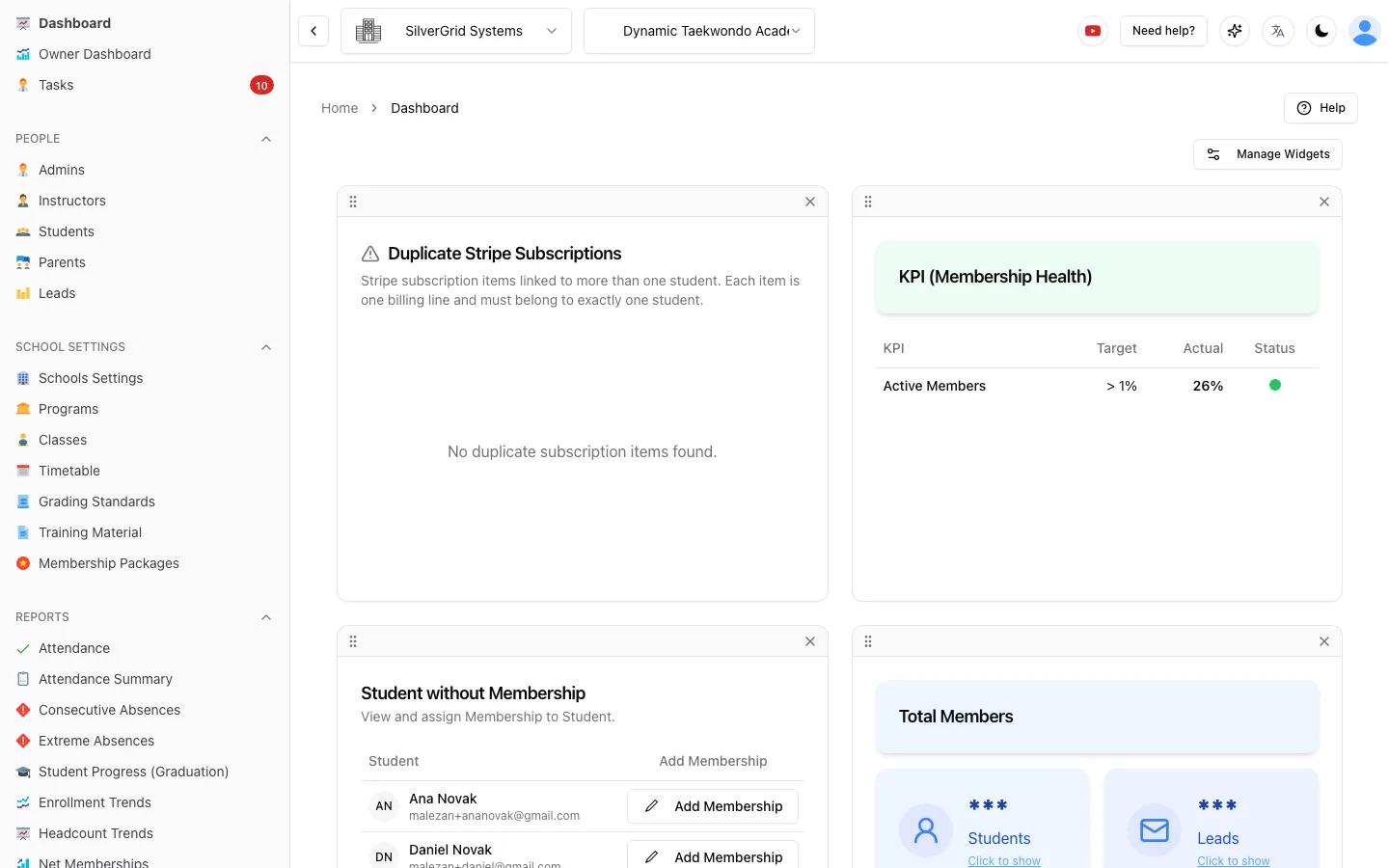
We build Sport School Manager, so we have a point of view. But the checklist below applies to any product, and we tell you where we fit and where you should verify for yourself.
Why Generic Gym Software Fails a Dojo
Most "fitness" software was designed for one thing: an adult buys access to a facility, swipes a card at the door, and is charged every month. That model breaks the moment you run a martial arts school.
Your students progress through belts and ranks, each with a syllabus of techniques they must demonstrate. You run grading cycles where only eligible students are invited to test. Half your roster is children, and the person paying is a parent who may have two or three kids in different programs. Your instructors mark attendance per class on the mats, not at a turnstile. And your waivers must be signed by a legal guardian, not the student.
Gym software treats every one of those as an edge case. The best martial arts school management software treats them as the core of the product. Here is how to tell the difference.
The 10-Point Checklist
Score every product you evaluate against these ten points. If a vendor says "you can do that with a custom field", count it as partial, not a pass.
1. Native belt and rank tracking with syllabus and eligibility
This is the single biggest filter. The software should model your programs as a hierarchy of groups, ranks and sub-ranks, each with its own syllabus. When you schedule a grading, it should tell you who is eligible based on time in rank, attendance or instructor approval, not make you scroll a list and guess. In Sport School Manager, programs carry groups, ranks, sub-ranks and syllabus, and grading events filter candidates by eligibility automatically. See our deeper guide to belt tracking software.
2. Family accounts with one payer and per-child memberships
A parent with three children should have one login, one payment method and one set of invoices, while each child keeps their own membership, rank history and attendance. If the software makes you create a separate "member" for each sibling with no link between them, you will spend hours reconciling payments. Look for a true parent account that is linked to its children, where the parent can e-sign documents and pay for everyone in one place.
3. Self check-in kiosk on a tablet plus one-click attendance
Attendance is where most schools lose data. You want two paths that both feed the same record: a self check-in kiosk on an iPad or Android tablet at the door, and one-click attendance for the instructor on the mats. Check-in notes (a student mentions an injury, a parent leaves a message) should attach to the record. A bonus is a consecutive-absence alert that tells you when a student has missed several classes in a row, before they quietly quit.
4. Digital waivers signed by parents with version history
Paper waivers get lost, and a waiver signed by a 12-year-old is worthless. The software should let a parent e-sign for their child, store every version of the document so you can prove what was agreed at the time, and offer a public link or QR code you can print on a poster for walk-ins. Digital waivers and forms should also flag which students still have an unsigned document before they step onto the mat.
5. Recurring billing with both card and manual options
Recurring card billing through Stripe is the baseline, but real dojos also take cash and bank transfers. You need a manual "Collect Payment" flow that emails a receipt, plus invoices, balances and reminders that treat both paths the same. A Student Balances report with one-click payment reminders saves more time than almost any other feature. Check the supported currencies too; Sport School Manager handles USD, AUD, CAD, EUR, GBP and MKD. More in our billing and payments overview.
6. Lead capture: enquiry form, registration links, activity log, tasks
Growth depends on what happens between "someone filled in a form" and "they signed up". Look for a public enquiry form and registration links you can share, an activity log per lead so any staff member can see the history, and tasks with due dates so follow-ups do not fall through the cracks. It must live in the same system as your students so a converted lead becomes a student without re-typing. See student and lead management.
7. Communications: templates, tags, SMS, CC/BCC
You will send the same messages hundreds of times: grading invitations, payment reminders, holiday closures. Email templates with placeholders are essential. Tags let you target a message to "all blue belts in the kids program" instead of exporting a list. SMS matters for same-day changes. CC/BCC matters when a message about a child should go to both parents. Automated communications should also trigger from events such as a missed class or a failed payment.
8. Reporting: dashboard, churn, KPI targets, Excel export
You should be able to answer "how is the school doing this week?" in one screen. An Owner Dashboard with weekly numbers per school and a custom date range is the minimum. Beyond that, look for Net Memberships (joins vs. cancellations) to see churn and retention, Membership Health targets so you know when a KPI drifts, and Excel or CSV export so your accountant can work in their own tools. Analytics and reports should be included, not an upsell.
9. Multi-location support
Even if you have one dojo today, you may open a second or run classes at a community hall. The software should model multiple schools under one company, with per-school time zones, per-school reporting and staff who can be assigned to one or several locations. Adding a location should not force you into a different product tier. Multi-organization management should be part of the standard design.
10. Pricing that does not scale per student, no contracts, no hidden fees
Per-student pricing punishes you for growing. Annual contracts lock you in before you know if the product fits. Processing markups hide a second price inside every payment. Look for a flat monthly price per location, month-to-month terms, and a clear statement of what is and is not included. If you cannot find the price on the website without booking a demo, that is a signal in itself.
Pricing Reality Check
Martial arts school management software ranges from roughly $25 to $300+ per month per location. Many products start around $79 to $99 per location and rise with add-ons such as SMS credits, extra staff logins, marketing modules or higher student tiers. Some vendors charge per active student, so a school that grows from 80 to 200 students can see its bill double or triple. Others add a markup on card processing fees that is easy to miss in a quote.
For transparency: Sport School Manager is a flat $89 USD per month per school, free forever for up to 20 students, with a 90-day free trial and month-to-month terms. There are no per-student fees and no processing markup on top of Stripe. Full details are on our pricing page, and we break down the wider market in how much martial arts school software costs.
Generic Gym Software vs. Martial-Arts-Specific Software
The table below summarises how the two categories typically compare on the checklist. Individual products vary, so use it as a starting point and verify each row in your trial.
| Checklist item | Generic gym software | Martial-arts-specific software |
|---|---|---|
| Belt and rank tracking with syllabus and eligibility | ✗ Custom fields at best | ✓ Native |
| Family accounts, one payer, per-child memberships | Partial: linked members, shared billing varies | ✓ Parent accounts linked to children |
| Tablet self check-in and one-click attendance | Partial: door access, not per-class marking | ✓ Kiosk plus instructor attendance |
| Parent-signed waivers with version history | Partial: adult waivers, limited versioning | ✓ Parent e-signature and history |
| Recurring card billing plus manual payments | ✓ Card billing; manual often weak | ✓ Both, with receipts and balances |
| Lead capture and follow-up tasks | ✓ Usually included | ✓ Usually included |
| Templates, tags, SMS, CC/BCC | Partial: templates yes, tags and CC vary | ✓ Built for parent communication |
| Dashboard, churn, KPI targets, export | Partial: revenue focus, churn as add-on | ✓ Membership health and retention |
| Multi-location support | Partial: often a higher tier | ✓ Multiple schools under one company |
| Flat pricing, no per-student fees, no contracts | ✗ Tiers, contracts and markups common | Partial: varies widely by vendor |
"If you need a spreadsheet next to your software to track belts, you have gym software, not dojo software."
How to Run a Fair Trial
Demos are designed to look good; a trial with your own data is where the truth comes out. Give every shortlisted product the same four tests:
- Import 20 real students. Include at least two families with siblings in different programs, one adult, and one student who is behind on payments. See how long it takes and whether family links survive the import.
- Run one grading. Create a grading event, let the software tell you who is eligible, record results, and check that each student's rank history updated correctly.
- Run one billing cycle. Set up a recurring card membership and a cash membership. Record a manual payment, confirm the receipt email, then open the balances report and send a reminder to the overdue student.
- Run one kiosk session. Put a tablet at the door for a real class. Have students check themselves in, then have the instructor mark attendance and add a check-in note. Compare the two records afterwards.
If a product passes all four with your real students, you have found a genuine candidate. If you want to run these tests on Sport School Manager, the free plan for up to 20 students is designed for exactly this.
Frequently Asked Questions
What is the best martial arts school management software?
The best martial arts school management software is the one that handles belts and ranks, families, gradings, attendance, waivers and billing natively, without workarounds. Rather than picking by brand, score candidates against the 10-point checklist above and then run a real trial with your own students.
What is the difference between martial arts software and general gym software?
General gym software is built around individual adult members buying facility access. Martial arts software is built around students who progress through a rank system with a syllabus, are often children paid for by a parent, and attend classes where an instructor marks attendance. Belt tracking, grading eligibility, family accounts and parent-signed waivers are core in dojo software and usually bolted on in gym software.
How much does martial arts school management software cost?
Roughly $25 to $300 or more per month per location. Many products start around $79 to $99 per location and rise with add-ons, per-student tiers or processing markups. Sport School Manager is a flat $89 USD per month per school, with a free plan for up to 20 students.
Is there free martial arts school management software?
Yes. Sport School Manager is free forever for schools with up to 20 students, with the full feature set included, and offers a 90-day free trial for larger schools. When evaluating any free plan, check whether it caps features you need, such as billing or waivers, rather than only the student count.
Does martial arts software work on an iPad?
Web-based software runs in the browser on an iPad, Android tablet or desktop with nothing to install, which is ideal for a front-desk kiosk and for instructors on the mats. Sport School Manager is fully web-based and works this way. More answers are on our FAQ page.
Run the Four Tests on Sport School Manager
Import 20 students, run a grading, a billing cycle and a kiosk session. Free for up to 20 students, $89 USD per month per school after that, no contract.
See Pricing and Start FreeRelated Help Center guides
Step-by-step guides with screenshots, written for school owners and admins.
- Getting StartedHow to register an account (Company Owner)Create your company, first school and owner login in a few minutes.(opens in a new tab)
- CompanyHow to add an adminInvite a school admin and choose what they can see and do.(opens in a new tab)
- Owner DashboardOwner Dashboard: every school’s weekly numbers in one placeRead the dashboard, switch periods and compare schools.(opens in a new tab)