Martial Arts Belt Tracking Software: How to Track Ranks, Attendance and Grading Eligibility
A practical guide for school owners and head instructors who want every promotion to be earned, recorded and visible to parents.
Owners and head instructors of taekwondo, karate, BJJ, judo and kickboxing schools who are still working out grading eligibility from a spreadsheet, a register or memory.
Why Spreadsheets and Memory Break Down Past 50 Students
With twenty students, the head instructor knows every belt in the room: who graded in March, who is out with an injury, who has been quietly turning up four nights a week. Nothing needs to be written down.
Somewhere around fifty students that stops being true. Classes are taught by more than one instructor, so no single person has seen every student's attendance. A spreadsheet gets started, then a second one for the kids' program, then a tab for stripes that nobody keeps up to date. The consequences are predictable:
- Missed promotions. A student who has done the work is overlooked at grading time simply because their name was not on the list anyone was looking at.
- Grading decisions that feel unfair. Two students with similar attendance are treated differently because one instructor remembers them and the other does not. Parents notice this long before you do.
- The same question, every week. "When is my child's next belt?" lands in your inbox, at the front desk and on the mats, and each time someone has to go and look it up.
None of this is a discipline problem. It is a data problem, and it is exactly what martial arts grading software is built to solve.
What a Belt Tracking System Must Model
Before you compare products, it helps to be clear about what a belt tracking system actually needs to represent. A spreadsheet column labelled "Belt" is not enough. The structure most schools need looks like this:
- Programs: the style being taught, such as Taekwondo or Brazilian Jiu-Jitsu.
- Groups within a program, such as Little Dragons, Juniors and Adults, because a kids' yellow belt and an adult yellow belt rarely share a syllabus or a timeline.
- Ranks within a group, in order, from the first belt to the highest you award in-house.
- Sub-ranks under each rank for stripes or tips, so "yellow, two stripes" is a distinct step in the ladder.
- A syllabus per rank: the techniques, forms, sparring and knowledge a student must demonstrate to move up.
- Graduation requirements: minimum time in grade since the last promotion and a minimum number of classes attended.
- Assessment criteria with scoring: grading standards broken into categories and criteria, with a score legend so every assessor uses the same scale.
- Graduation events: the actual grading day, with a roster of candidates, assigned assessors and a result per student.
In Sport School Manager these are first-class objects. You build programs with groups, ranks, sub-ranks and syllabus, attach grading standards made up of categories, criteria and score legends, and set rank graduation requirements once. Everything downstream, including eligibility and history, is derived from that structure rather than typed in again.
Step by Step: From Setup to a Grading Day That Runs Itself
1. Set up ranks and syllabus once
Start with one program and one group. Enter the ranks in order, add sub-ranks where you award stripes, and attach the syllabus items each rank requires. Then set the graduation requirements for every rank: how many classes and how many weeks or months a student must complete before they can be considered. This is the slowest part of the whole process, and you only do it once. If you later retire a rank or restructure a group, archive it rather than delete it, so students who hold that rank keep their history intact.
2. Connect attendance so eligibility updates itself
Eligibility is only as good as the attendance behind it. The two low-friction ways to record it are a tablet self check-in kiosk at the door, where students tap in themselves, and a one-click Present checkbox on the class roster for the instructor. Either way the attendance count against each student's current rank rises automatically, and the moment someone crosses both the class-count and time-in-grade thresholds they appear as eligible. Nobody has to tally a register the week before grading.
A useful side effect: consecutive-absence alerts. If a student on track for a belt suddenly stops attending, you hear about it after a few missed classes, not on grading day.
3. Run the grading event
Create a graduation event, pull the eligible students onto the roster and assign assessors. On the day, assessors work from a group assessment view that lists every candidate in the room, and open a per-student assessment to score each criterion against the standard's legend. Because the criteria and legend are fixed in advance, two assessors marking the same student produce comparable scores, which is the foundation of a fair result.
Once a student passes, their assessment can be turned into a graduation document on their profile, ready to print or share as a certificate. If you want to make the day itself memorable for families, our graduation ceremony guide covers the event side in detail.
4. Record history on the student profile
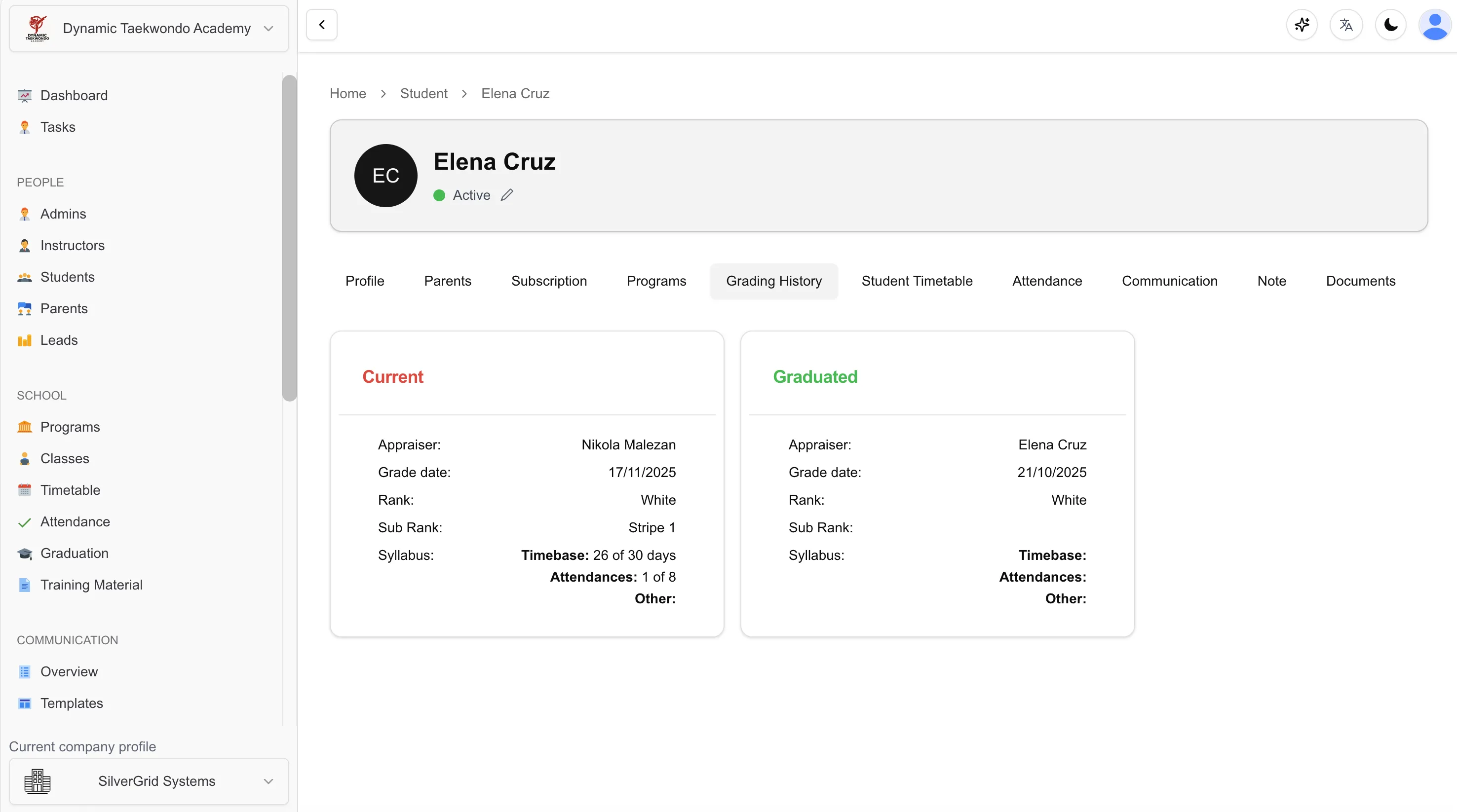
Every promotion, stripe and assessment should live on the student's profile as a dated entry, with the scores attached. This is the record you reach for when a parent questions a result or a federation asks for proof of time in grade. In Sport School Manager the grading history is per student and can only be deleted by users with the right permission, which keeps the record trustworthy.
5. Let parents see it for themselves
The final step removes the "when is the next belt?" question at source. The parent portal shows a child's attendance and rank progress, so parents can see how close they are without asking. Pair it with automated communications, using email templates or SMS to tell families when their child becomes eligible and when the next grading date is set.
Handling Multiple Styles or Federations in One School
Many schools teach more than one art, or teach one art under two federations with different belt systems. The rule is simple: one program per style or federation. A student enrolled in both Karate and BJJ holds a separate rank in each, with separate attendance counts and requirements. Squeezing both into one ladder is how histories get corrupted.
Federation membership adds one more date to track. Sport School Manager records federation renewal dates so you can see who needs to renew before the next grading, which matters when a federation will not certify a belt for a lapsed member. If you run a karate school alongside a taekwondo program, each can have its own structure without one interfering with the other.
Common Mistakes to Avoid
- Grading on attendance alone. Turning up is necessary but not sufficient. If eligibility triggers a promotion automatically, you lose the assessment. Attendance should decide who is invited to grade; the assessment decides who passes.
- No time-in-grade rule. Without a minimum period between belts, a student who attends daily can outpace their actual skill. Set both a class count and a minimum duration.
- Losing history when switching software. Before you move platforms, export every student's promotion dates and scores, and confirm the new system can import them. A belt with no recorded history looks unearned.
- Deleting instead of archiving. When you retire a group or a rank, archive it. Deleting can orphan the records of students who held it.
- Not communicating readiness. Parents who learn their child is eligible only on grading day feel blindsided. Use templated emails or SMS the moment a student qualifies.
Spreadsheet vs Dedicated Belt Tracking Software
| Need | Spreadsheet | Dedicated belt tracking software |
|---|---|---|
| Eligibility | Counted by hand before each grading | Updates automatically from check-in attendance and time-in-grade rules |
| History | One cell per student, overwritten on promotion | Dated grading history with scores on every student profile |
| Certificates | Typed up separately in a word processor | Assessment turned into a graduation document on the profile |
| Parent visibility | None; parents ask the instructor | Parent portal shows attendance and rank progress |
| Multi-program | Separate files that drift apart | Separate programs, groups and ranks, one student record |
| Audit trail | Anyone with the file can change anything | Permission-controlled edits and deletions of grading records |
"Attendance decides who is invited to grade. The assessment decides who passes. Software should keep both honest."
If you are weighing up platforms, our comparison of the best martial arts school management software looks at grading features alongside billing, scheduling and communication.
Frequently Asked Questions
What is martial arts belt tracking software?
It records each student's current rank, stripes or tips, promotion dates and assessment scores, and links that record to attendance so you can see who meets the time-in-grade and minimum-class requirements for their next belt. It replaces spreadsheets and memory with a single history per student that instructors, front desk staff and parents can all rely on.
How do I know when a student is eligible for their next belt?
Define graduation requirements per rank, typically a minimum number of classes and a minimum time since the last promotion. When attendance is recorded through a check-in kiosk or a one-click Present checkbox, the software compares each student's record against the rule for their current rank and shows who is ready, so eligibility updates itself.
Can I track stripes or tips between belts?
Yes. A good system models sub-ranks under each rank, so a yellow belt with two stripes is a distinct step from a yellow belt with three. Each sub-rank can carry its own syllabus and requirements, and awarding a stripe is recorded in the grading history just like a full belt promotion.
Can belt tracking software handle taekwondo, karate and BJJ in one school?
Yes, if each style is a separate program with its own groups, ranks, sub-ranks and syllabus. A student can be enrolled in more than one program and hold a different rank in each, and federation renewal dates can be tracked per program without the styles interfering with one another.
Can parents see their child's belt progress?
With a parent portal, yes. Parents log in and see their child's attendance and rank progress, including promotion dates, without emailing the instructor. This removes the constant "when is the next belt?" question and helps parents support training between gradings.
Track Every Belt From Day One
Sport School Manager is free for up to 20 students, then $89 USD per month flat, with a 90-day free trial. Set up your ranks and syllabus once, connect attendance, and let eligibility take care of itself. See pricing or read the FAQ.
Explore Grading FeaturesRelated Help Center guides
Step-by-step guides with screenshots, written for school owners and admins.
- StudentsCheck-in notes: pop up a reminder when a student checks inFlag a note to appear on staff screens the moment a student arrives.(opens in a new tab)
- Getting StartedHow to register an account (Company Owner)Create your company, first school and owner login in a few minutes.(opens in a new tab)